Claude Code, with the project behind it.
Coding work in Pathfinder runs in real coding agents: Claude Code by default, or Codex, Gemini CLI and OpenCode. They run on your Mac, your own server or a box we set up for you. Each one starts from a ticket and reports back to it.
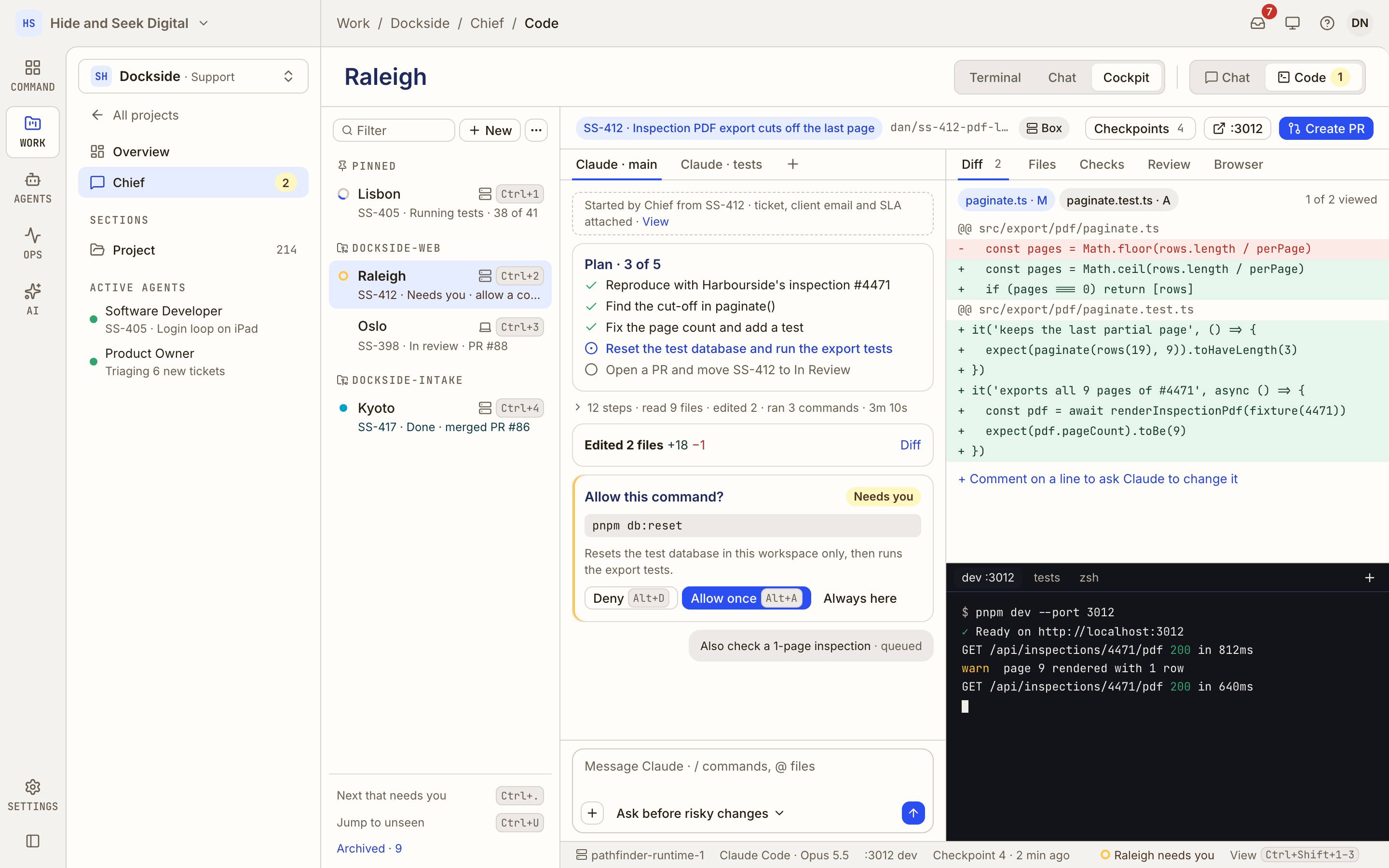
Terminal, chat or side by side.
Some people want the raw terminal. Some want to read a tidy chat. Some want the diff right there. It's the same session underneath.
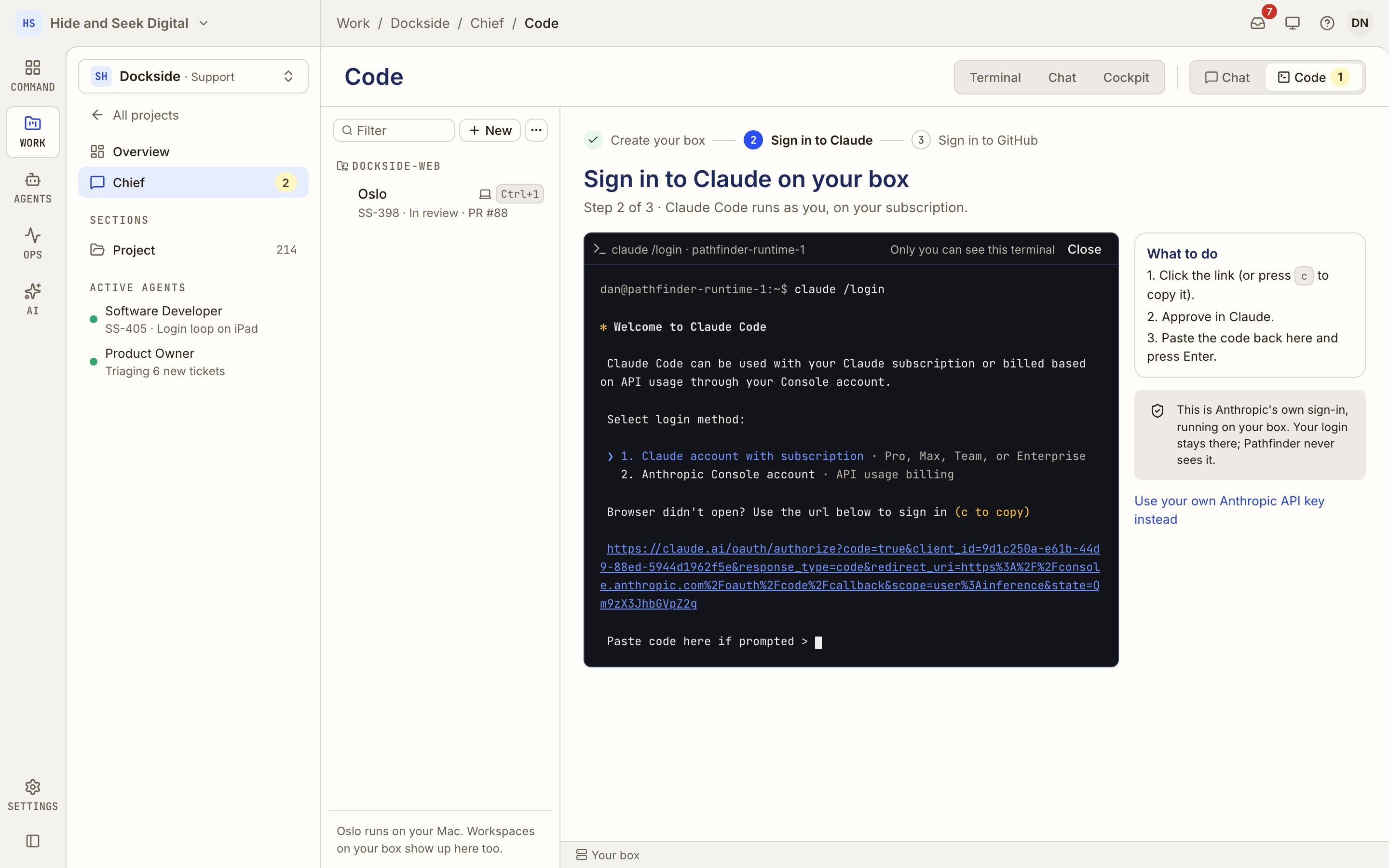
You sign in. We never see it.
A box is a private machine Pathfinder sets up for your coding work, in the region you pick. It takes about three minutes, and it goes to sleep when nobody's using it.
Then you sign in to Claude and GitHub on it yourself, using their own login pages in a terminal on the box. Your Claude login stays there. Pathfinder doesn't store it and can't pass it on. The commits and pull requests are yours.
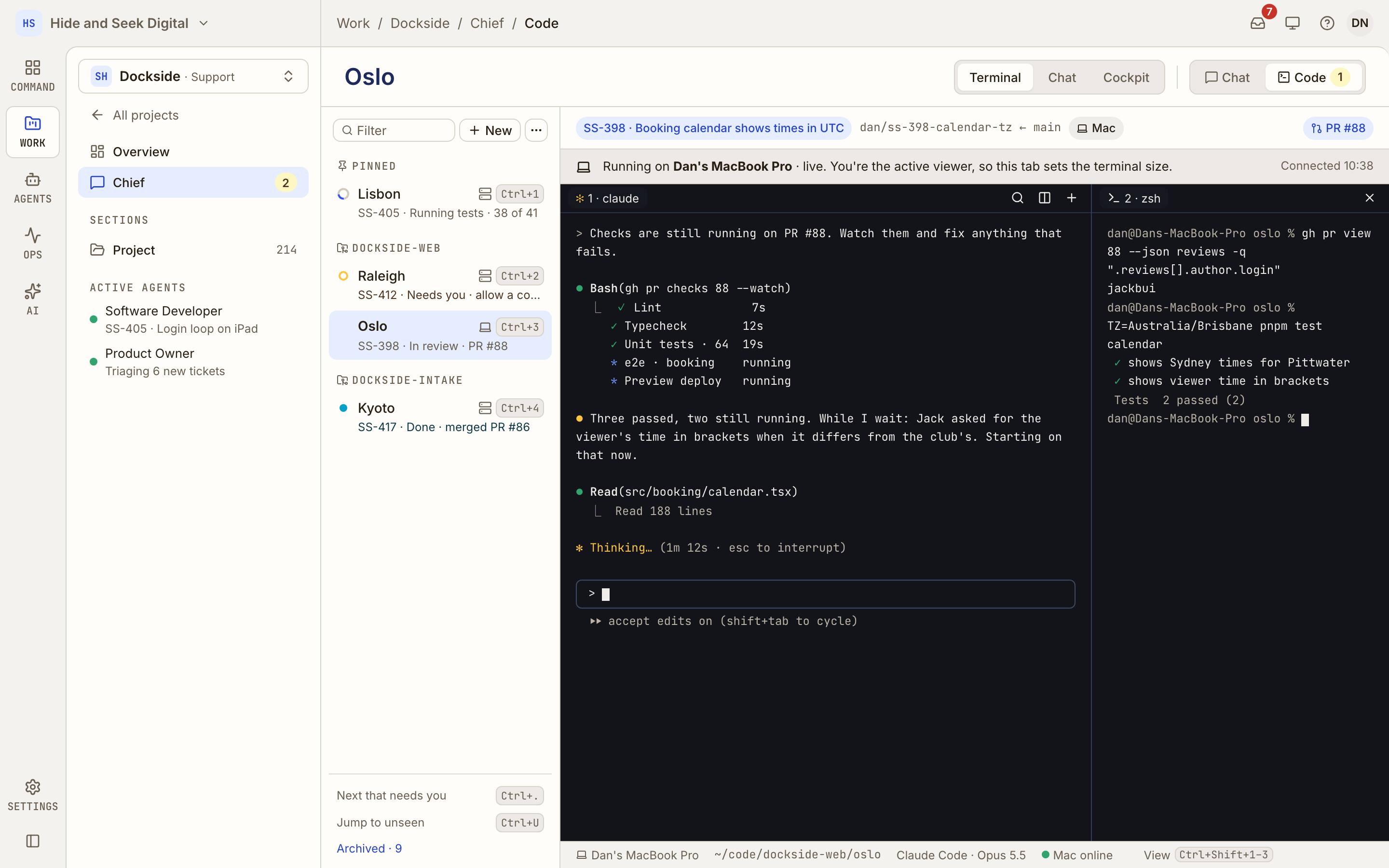
Or use your Mac. From any browser.
Prefer your own machine? Workspaces can live on your Mac. Open one from the browser and type into it like you're sitting there.
If the Mac goes to sleep, the workspace waits, and you can start new work on a box in the meantime.
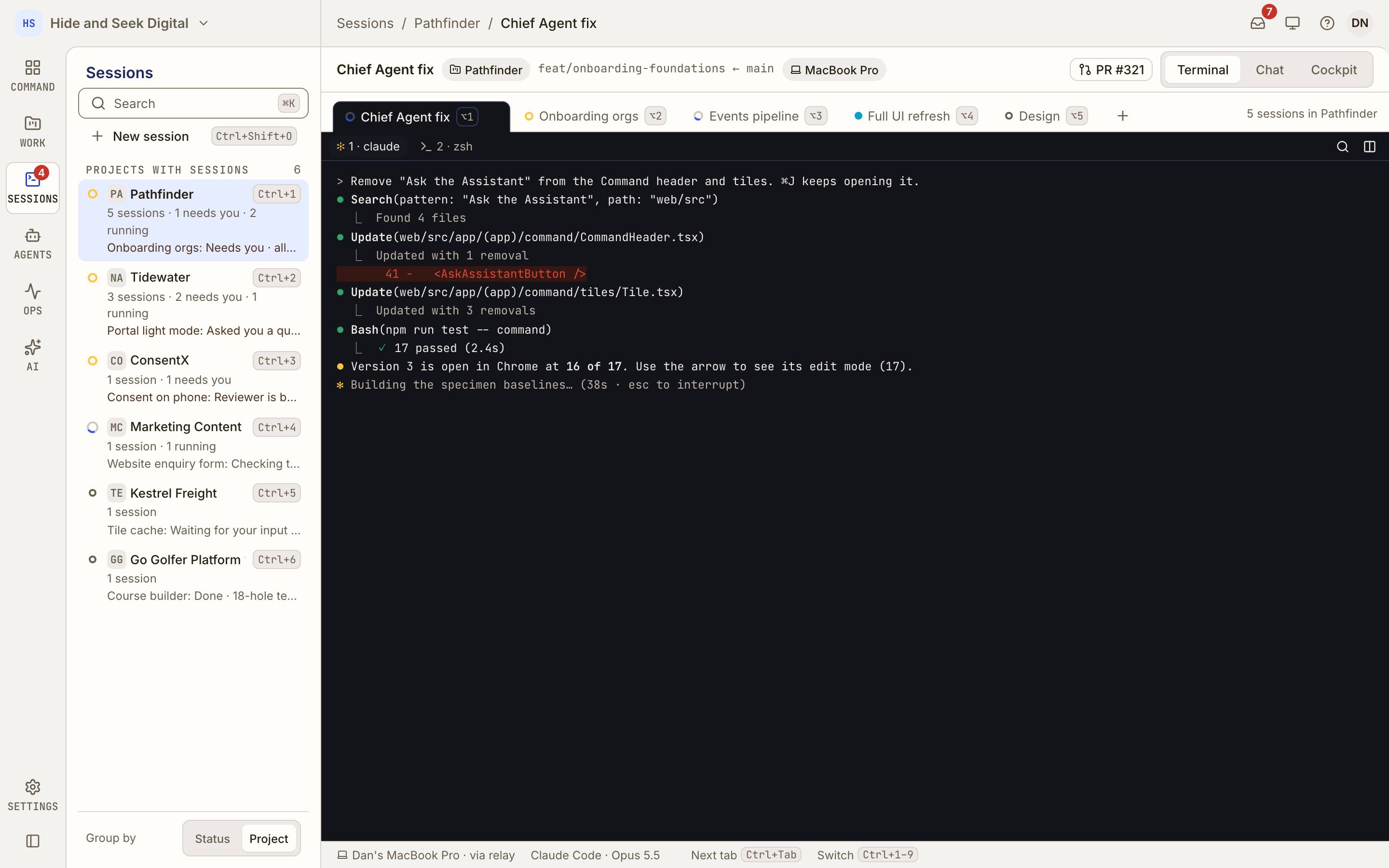
Run several sessions at once.
Each project gets a row and each session a tab. The ones waiting on you are marked, a keypress jumps to the next one, and ⌘K finds any session in any project.
When you come back after a night away, each session tells you what it did while you were gone.
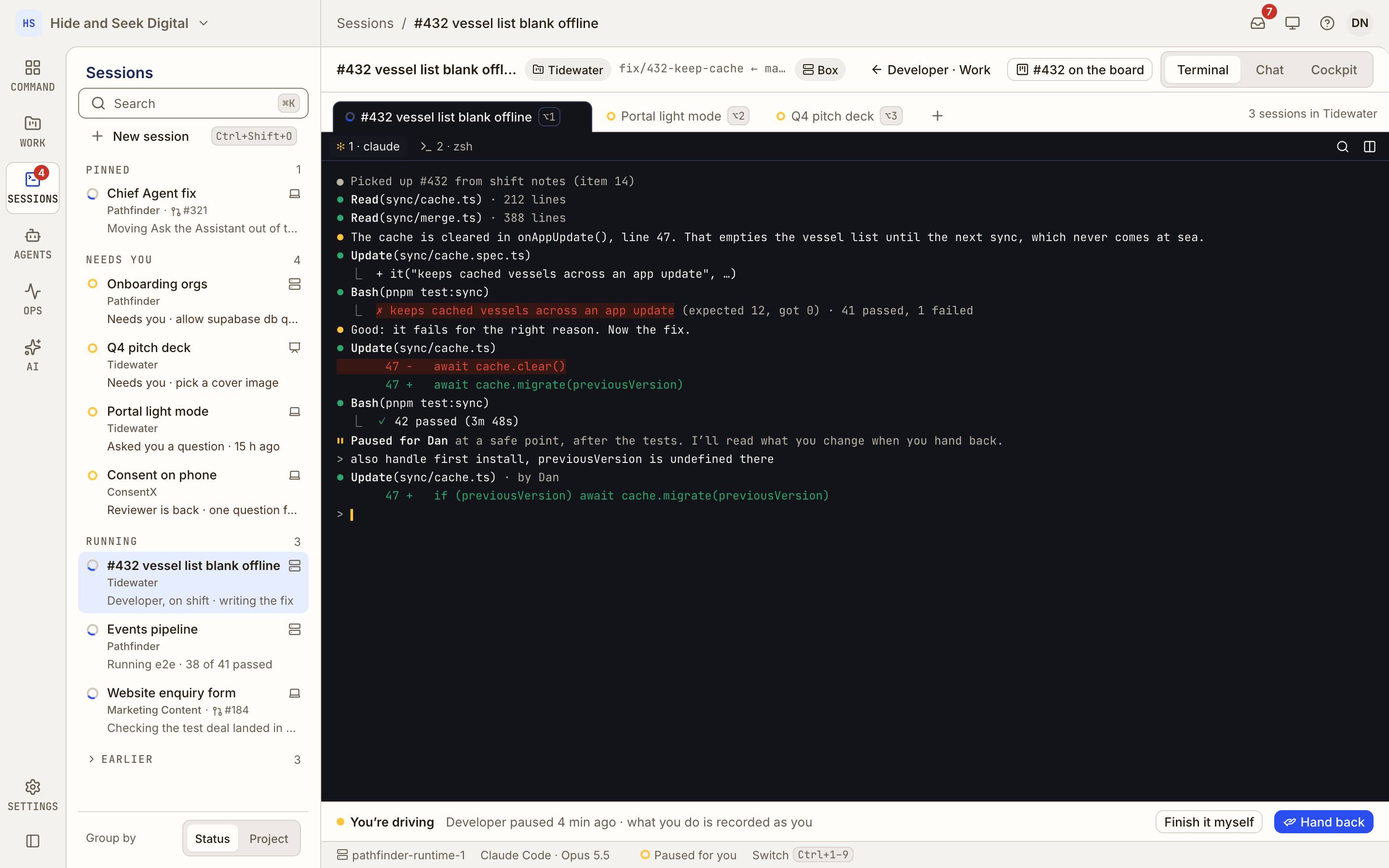
Watch it work. Take over when you like.
Open any run and watch its terminal live. Watching doesn't interrupt it.
Press Take over and the agent stops at a safe point and the keyboard is yours. Hand it back and it reads what you changed before it carries on.
It checks its work on real devices.
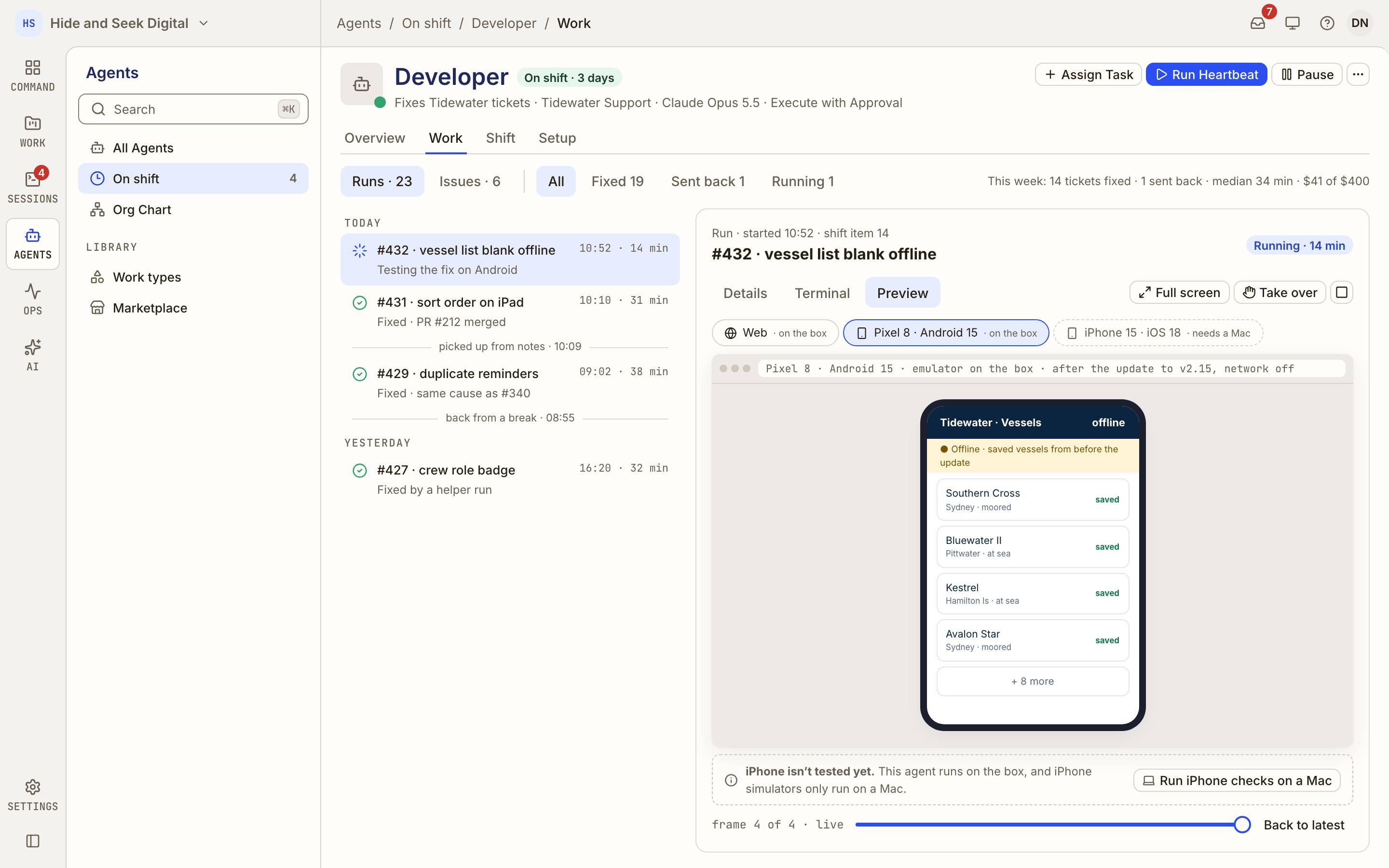
Agents test what they built in a browser, on the web and Android on a box, and on iPhone on a Mac. You can scrub back through what they saw.
Code that knows why it's being written.
Reads the project
Coding agents read the project's tasks, decisions and risks through Pathfinder's MCP server, and propose new tasks for you to approve.
Short-lived access
Each run gets its own short-lived GitHub App token for the repos it needs, not a standing key.
Your subscription or a key
Use your Claude subscription, or an API key with a cap. Runs on a key show what they cost.

Start with a pilot.
Four weeks. We set it up with you, your team picks a first piece of work, and at the end you have real numbers to decide on.