How Pathfinder works.
Pathfinder is where people and AI agents work on the same jobs together. Agents take on real work, like the weekly client update, support tickets or a bug fix, and before they start they read the organisation's handbook: how it writes, its rules and what's already been decided. Anything that goes out or costs money waits for a person to approve it. Everything is on the record, and it's built for security and data sovereignty.
Say what you need. In plain words.
Tell the Chief what you need, or pick the kind of work yourself. Either way, it looks things up first: your handbook, the project, the files you point it at.
Then it asks only what it couldn't find, in the chat, one set of questions at a time. Every question has a "Something else" box, because your answer won't always be on the list.
It never goes through your calendar or inbox on its own. If it needs them, there's a button you press.
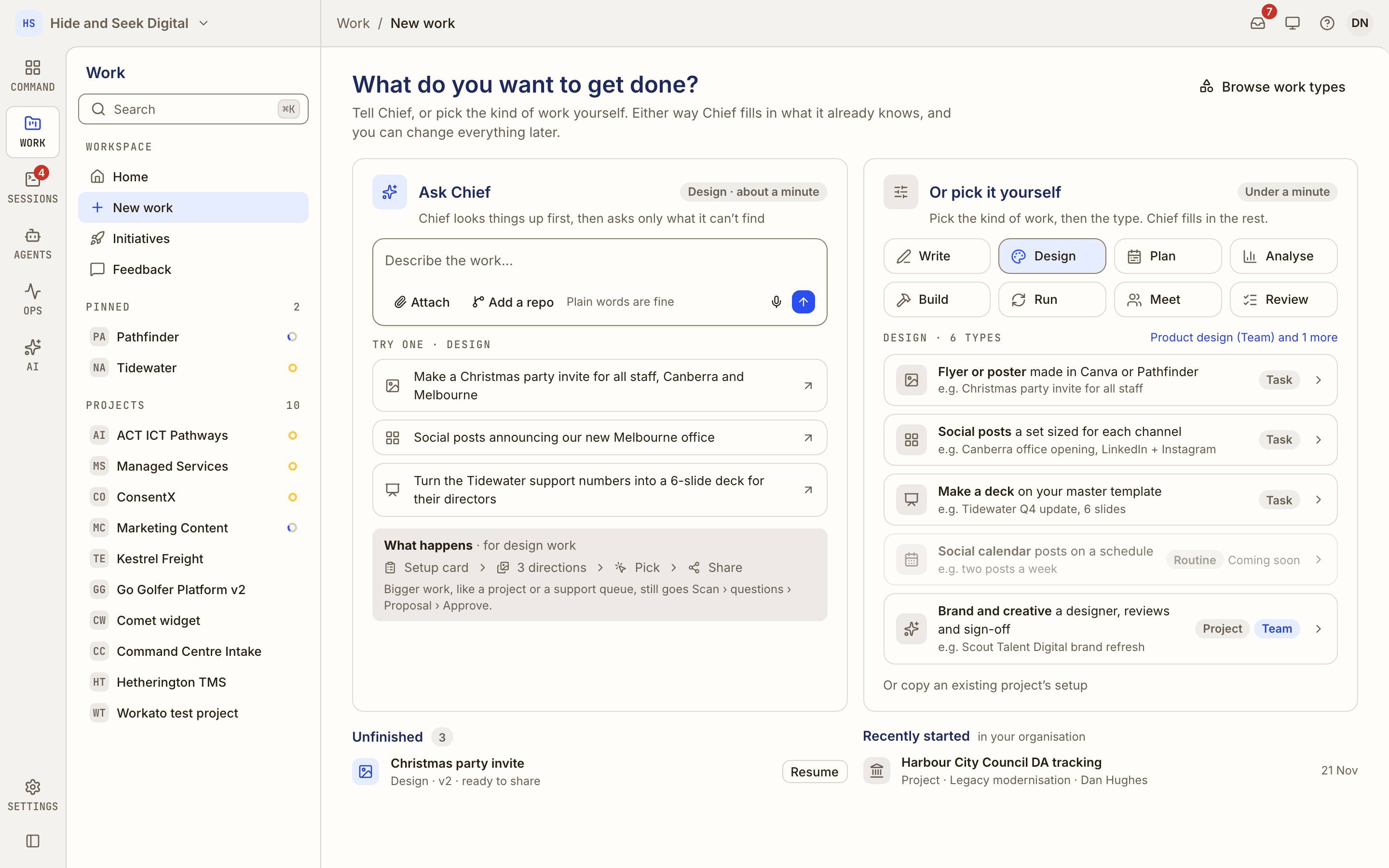
Most of what your team does fits one of these.
Each kind of work has a team that's good at it. The Chief hands the job over and tells you who's taking it. Some of these are live now and the rest are rolling out over the next few weeks. The changelog says which.
Write
Letters, emails, policies, newsletters, job ads and onboarding packs. In your voice, on your letterhead.
Design
Decks on your template, social posts, invites and product design in Figma or Canva.
Plan
Events, budgets, project plans, campaigns and recruitment, with dates checked against holidays.
Analyse
Research with every claim cited, sense made of a spreadsheet, and the monthly numbers.
Build
Simple apps, landing pages, automations, product builds and moving off old systems.
Run
Support queues, a shared inbox, an IT service desk and casework like FOI requests.
Meet
Briefs before a meeting, notes and follow-ups after, and board papers on a cycle.
Review
Proofreading, contract review, design feedback, compliance checks and sign-off.
Real work, not a chat reply.
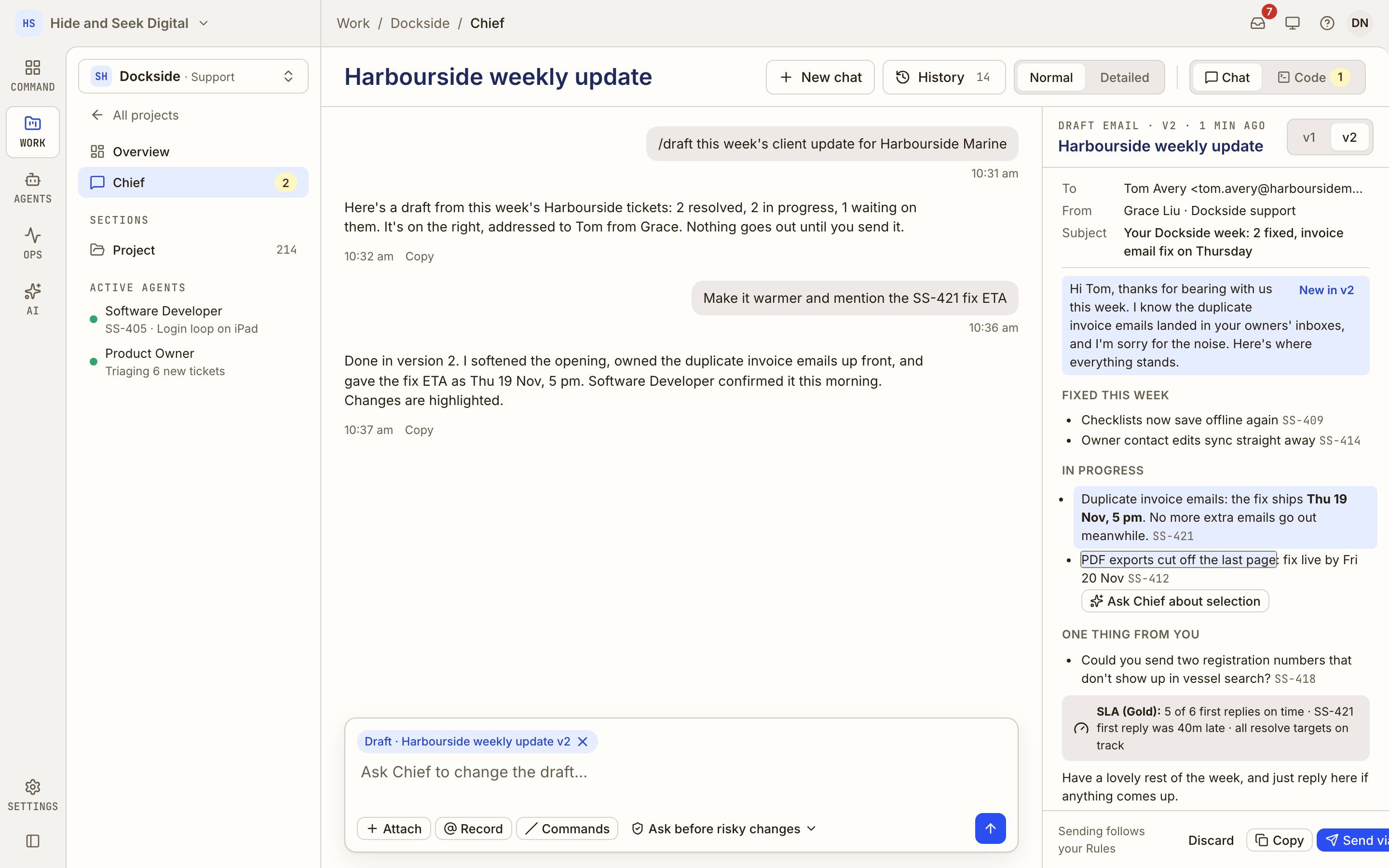
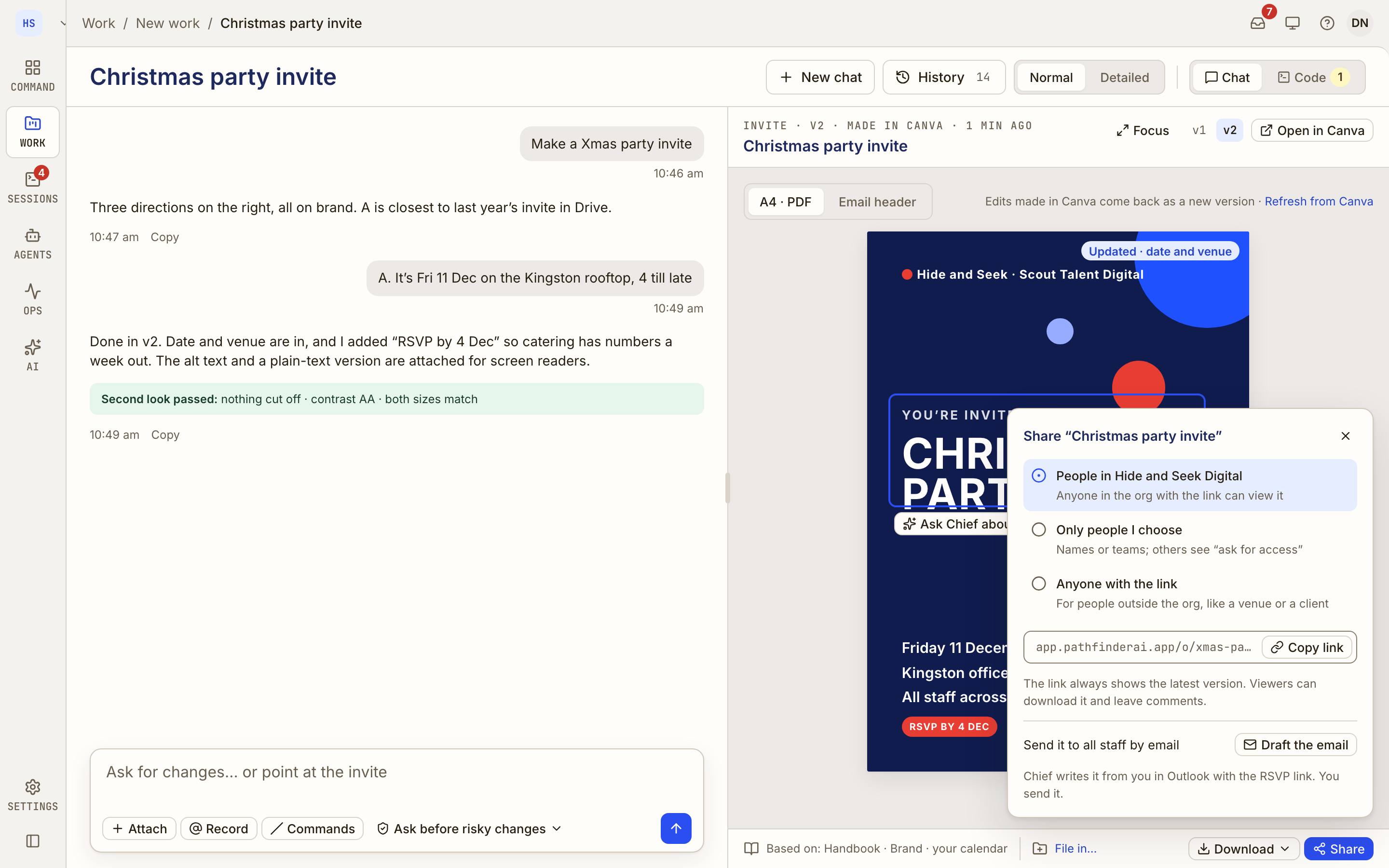
What comes back opens beside the chat as a document, a deck, a plan or an app. It has versions. Point at any part and ask for a change, and v2 tells you exactly what moved.
Small jobs take a minute. Big ones get a proposal.
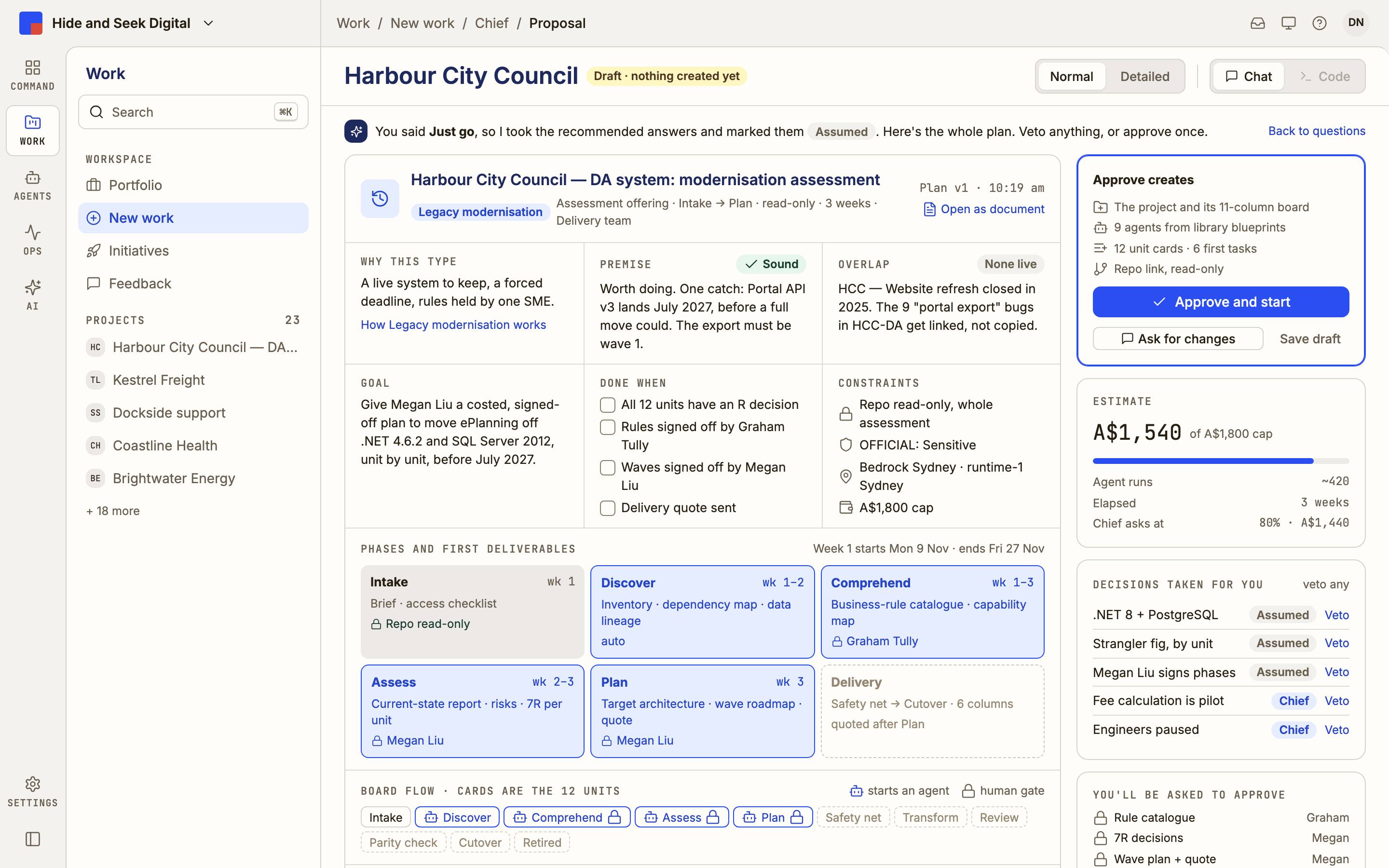
A letter doesn't need a meeting. Moving a council off an old system does. For bigger work the Chief scans first, then brings back one proposal: the phases, the team it would hire, a cost estimate and the decisions it took for you.
Veto any of those decisions, or approve the lot once. Then the project, the board and the team are set up for you.
Every agent starts from your handbook.
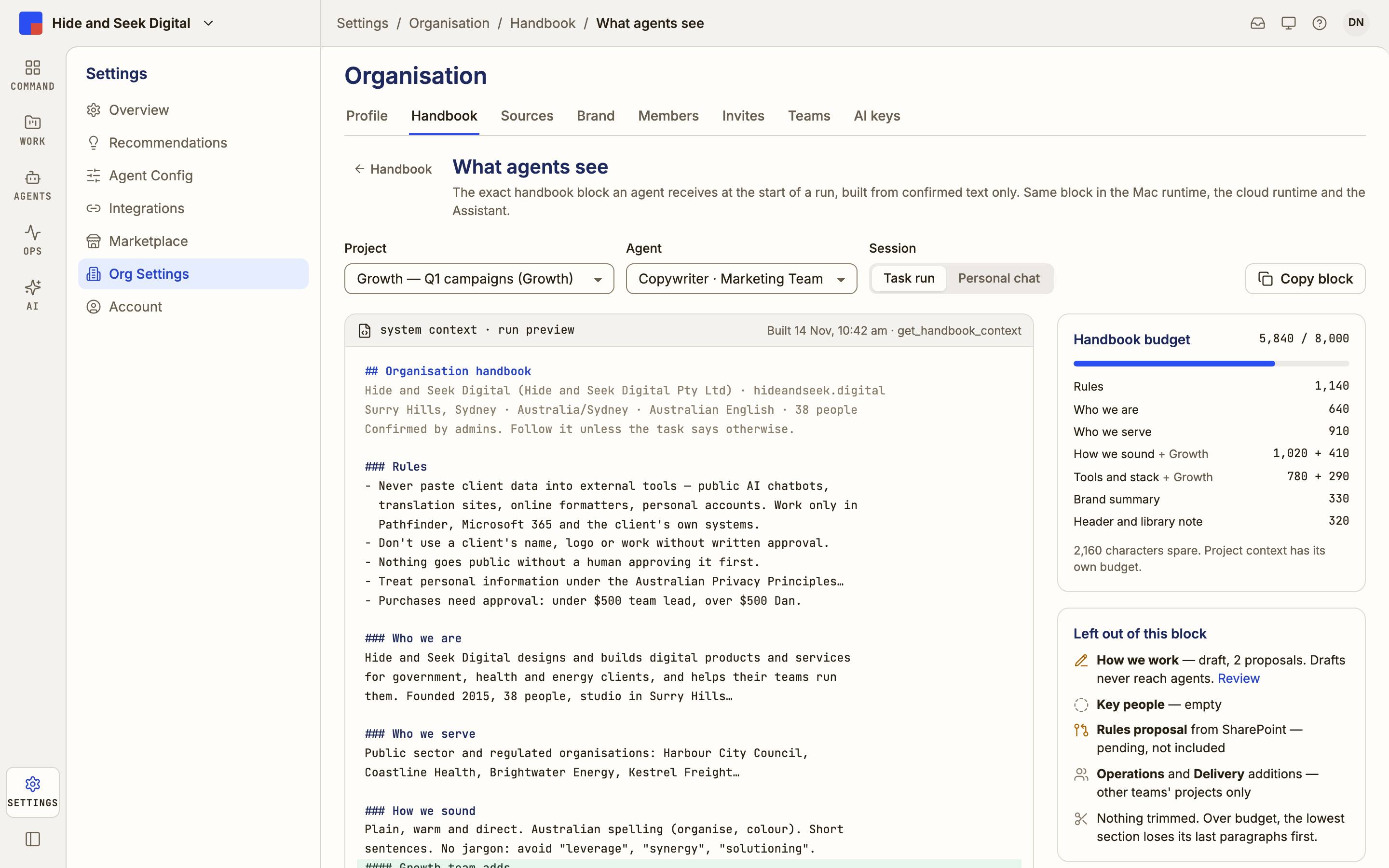
Your handbook is how your organisation works, written down: who you are, how you write, your rules and your brand. Pathfinder drafts it from your website and documents, and people confirm each section before any agent sees it.
"What agents see" shows the exact text an agent gets at the start of a run. No surprises, and nothing hidden.
Share it. Send it yourself.
Share a link inside your organisation, with named people or with anyone. The link always shows the latest version.
Emails go out from your own Outlook or Gmail, as you, when you press Send. An agent never sends on its own.

Start with a pilot.
Four weeks. We set it up with you, your team picks a first piece of work, and at the end you have real numbers to decide on.